
RELEASE
Revit 2026.1
PLATFORM
Desktop
TOOLS
Figma, Revit, Mural
THE TEAM
In collaboration with engineering leads, product management, visual design, and research operations.
ROLE
Lead UX Designer and Researcher
Revit Operating Schedules
Redesigning the schedule-building experience in Revit to give engineers greater flexibility and control when defining how buildings operate throughout the year.
The Challenge
Building operating schedules need to reflect complex real-world conditions, including variations in occupancy, lighting, and equipment usage.
The existing scheduling experience offered limited flexibility for representing those variations.

Exploration
The existing solution caused confusion and lack of clarity.
Users were not able to bulk apply desired settings to their schedule.
Clunky interactions caused confusion which led to users finding solutions elsewhere.
Data visualizations were unhelpful, yet took up a majority of space.
Built in schedules were not widely used.
Iterations


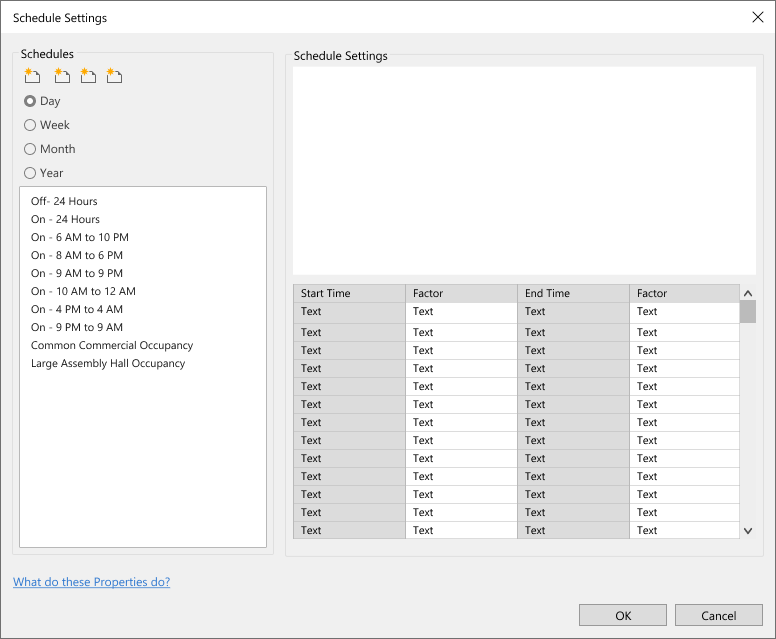
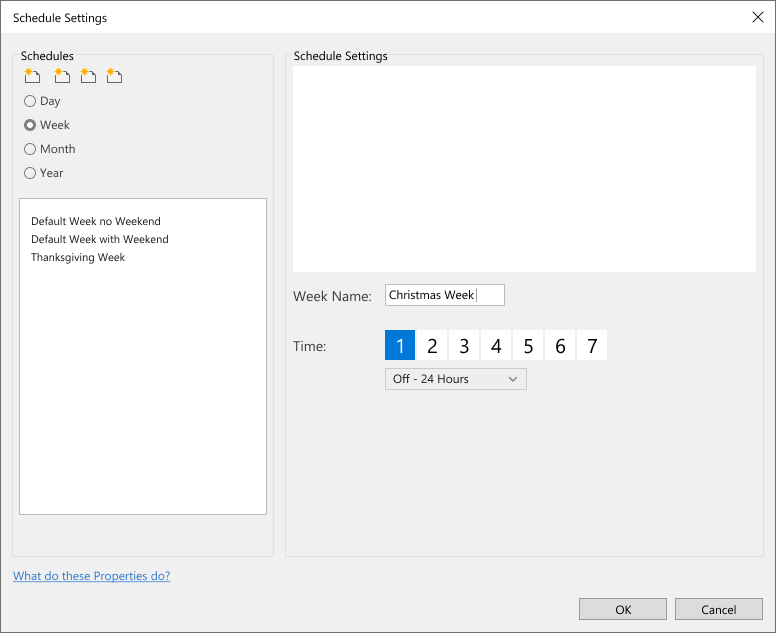
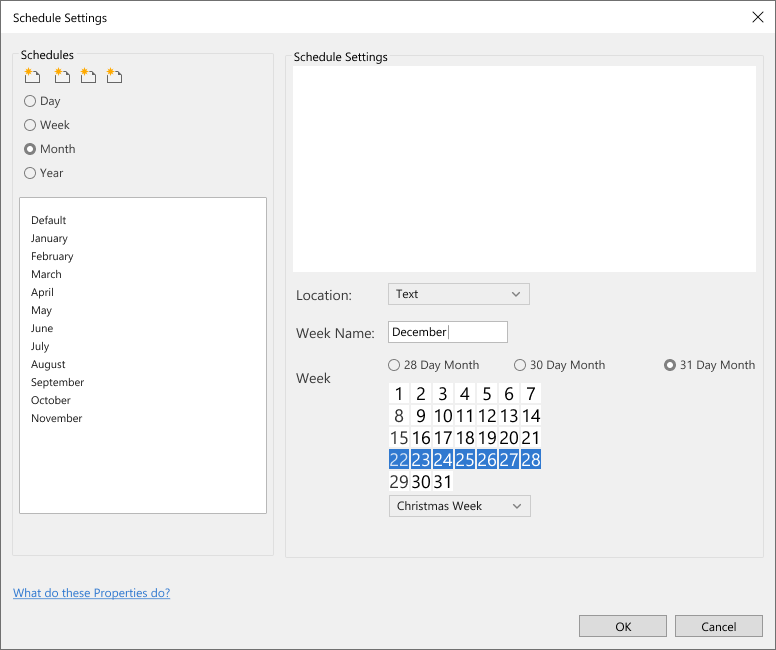
How users would configure their schedules posed a significant challenge. The solution required an interaction that would allow users to customize by the day, month, and even up to the year.
User interviews highlighted that happy paths to building their operating schedules varied from project to project. This necessitated maximum flexibility.
Solution
After testing the initial iteration of our solution, results showed that users wanted a more intuitive, less clunky interaction.
This led to a flexible solution where users could access a year and solve all of their needs in one workflow:
A single click allowed a user to customize the schedule for a day...
A click and drag allowed the user to customize for multiple days, weeks, months, or the entire year all on the same screen.